How to make a no-upload privacy promise users can verify
A no-upload privacy promise earns trust when users can see where a file goes, what runs locally, and which exceptions leave their device.
 Niels Kaspers
TL;DR
A privacy claim is credible when the data boundary is visible at the point of use, the product behaves consistently with that boundary, and the user can understand the exceptions without a legal scavenger hunt.
A no-upload promise should answer a practical question before it answers a legal one: what happens to my file after I choose it? If a person cannot tell whether a document is sent to a server, processed in the tab, retained for troubleshooting, or shared with another service, the promise is not doing its job. It is a slogan asking the user to trust an implementation they cannot see.
The useful standard is verifiability. A product does not need to expose every line of code, but it should make its data boundary legible at the point where a user is deciding whether to hand over a sensitive file. Say what runs locally, name any exception, and make the behaviour match the claim.
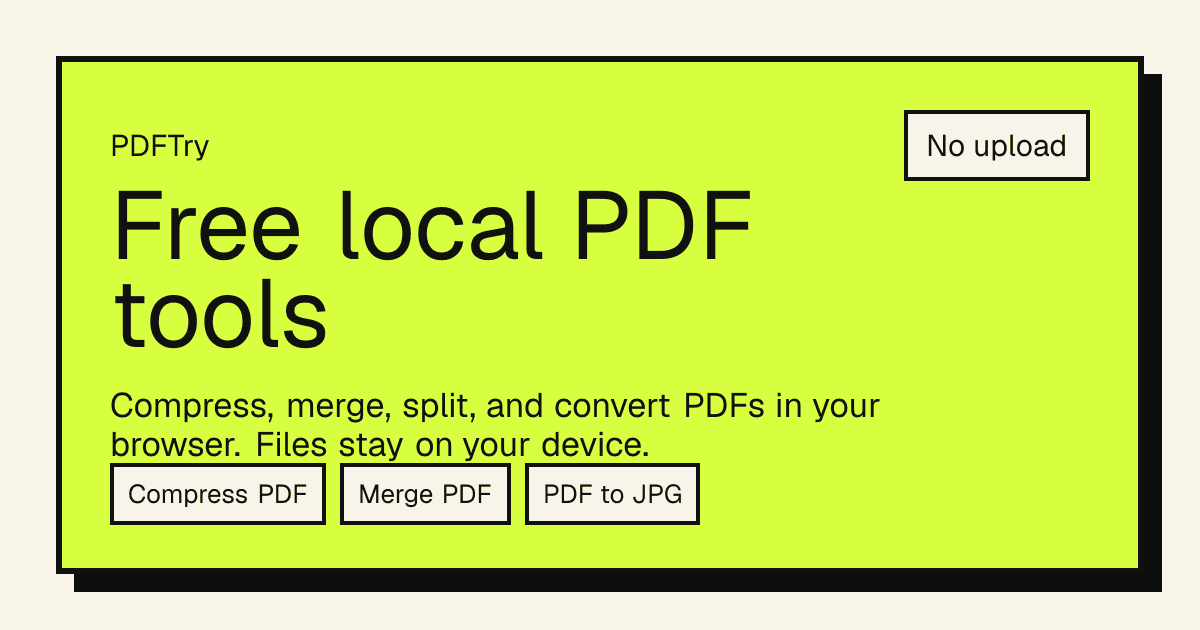
That is the product constraint behind PDFTry, a local-first PDF suite built around browser-local processing. Its promise is specific: for the listed tools, a file opens in the browser, the work happens on the device, and the result downloads from the browser. That specificity matters more than a vague 'privacy-first' badge. The browser’s File API is one of the technical foundations that lets web products work with user-selected files; it does not, by itself, prove that an application will never transmit data. The product still has to make its own boundary clear.
Put the boundary where the user chooses the file
The upload control is the moment of truth. A visitor has a document open, may be under a deadline, and is deciding whether the product is safe enough for the job. Do not make them leave that moment to decode a distant policy page.
A strong local-first interface names the behavior beside the control in plain language: “Your file stays in this browser,” “Processed on your device,” or “This step sends the file to our conversion service.” The point is not clever microcopy. It is helping someone make an informed decision before an irreversible handoff.
The UK Information Commissioner’s Office frames transparency as giving people information that is concise, clear, intelligible, and easy to access. That is a useful product-design test, not only a compliance instruction: privacy information and transparency. If the real answer requires a reader to infer behavior from a brand slogan, the experience is neither clear nor easy to access.
Separate a product promise from a technical capability
“Runs in the browser” is not automatically the same as “never uploads.” A browser application can work with a selected file locally and still make a network request for another part of the workflow. A feature can be local in one mode and server-backed in another. Analytics, error reporting, previews, AI enrichment, account sync, or a third-party library can change the relevant boundary.
That is why a trustworthy promise has three parts:
- The action: what the product does with the file.
- The location: where that work happens.
- The exceptions: when the behavior changes and what triggers it.
For example: “Merge, compress, and split happen in your browser. We do not receive the file. A cloud conversion workflow is clearly labeled before you start.” This is more useful than “secure PDF tools,” because it tells a person what they can rely on.
The same distinction applies outside PDFs. ScreenshotEdits is a native, offline-capable screenshot tool. Its local nature is not merely a technical fact; it reduces the questions a user has to ask before pasting in a customer conversation, prototype, or presentation. The product story becomes sharper because the boundary aligns with the job.
Make exceptions visible before they matter
The fastest way to erode a privacy promise is to reveal the exception after a user has already committed. A modal that appears after selection, a footnote below the fold, or a generic terms link converts a product distinction into a surprise.
Instead, label the exception where the decision happens. If a tool needs cloud rendering for a particular format, say so on that tool. If an AI feature sends content to a model provider, name that before the user submits it. If logged-in sync changes retention, explain the difference between a guest session and an account session.
This is not an argument against server-side features. It is an argument for honest segmentation. People can choose a cloud workflow when they understand the benefit and the boundary. What breaks trust is discovering that an apparently local flow had a materially different data path.
Treat trust as a product flow, not footer copy
Privacy decisions happen in a sequence: discover the product, understand the claim, select a file, use the result, and decide whether to return. Every step should reinforce the same story.
A local-first product can make that story concrete with a few visible signals:
- Explain the processing location next to the file picker.
- Keep the result flow local too: download the output rather than silently storing it in an account.
- Describe each cloud exception on the relevant tool, not in a catch-all disclaimer.
- Use screenshots, architecture notes, or testable behavior when they help a careful buyer verify the claim.
- Keep support answers consistent with the UI; a support article should not introduce a different version of the boundary.
This is a broader lesson from building category pages and tools. At Quicktools, pages earned their place when the promise matched a specific job rather than a generic keyword. The same is true for trust: precise language makes a product easier to choose and easier to recommend.
Interactive
No-upload promise check
Use this before calling a product local-first, private, or no-upload.
Completion
This is the gap between understanding the article and actually using it.
- Use this block as the practical summary, not just the article ending.
- If one item feels vague, the article probably needs sharper guidance.
- A short checklist beats a long recap when the reader needs to act.
Design for the skeptical user
The most useful customer to design for is not the one who reads a badge and moves on. It is the person who asks, “How do I know?” They may work with client documents, personal records, financial statements, source material, or unfinished product plans. They do not need marketing reassurance; they need a boundary they can understand well enough to make a choice.
That question improves the product. It forces the team to distinguish local handling from server processing, durable storage from a temporary session, and a claim from an observable workflow. It can also reveal places where the architecture or interface does not yet deserve the promise.
The result is more than better privacy copy. It is a clearer product position. In a category full of interchangeable tools, a verifiable no-upload boundary gives people a reason to choose the product for the job it is actually designed to handle.
FAQ
Does browser-based file processing always mean a file is never uploaded?
No. Browser APIs can support local processing, but an application can still send data to a server for a particular feature, account flow, analytics path, or third-party service. Check the specific workflow and its stated exceptions.
What should a no-upload product say next to its file picker?
State what happens to the file, where the processing occurs, and any exception that changes the data path. Put that explanation where the person chooses whether to proceed.
Is a privacy policy enough to explain a local-first product?
A policy is important, but it is not enough on its own. The product flow should explain the relevant boundary in concise language at the action point, with the policy available for detail.
When should a product avoid saying no upload?
Avoid it whenever any normal use path sends the file or its content to a server and the claim would make a reasonable person infer otherwise. Use a narrower claim and clearly label the exception instead.